Raddy N90 Wi-Fi Weather Station | 8.8" HTN Display | Smart App Connectivity | Temp & Humidity Monitor | PM2.5/AQI/UVI | 5-Day Forecast | Sunrise/Sunset Time
Raddy N90 Wi-Fi Weather Station | 8.8" HTN Display | Smart App Connectivity | Temp & Humidity Monitor | PM2.5/AQI/UVI | 5-Day Forecast | Sunrise/Sunset Time
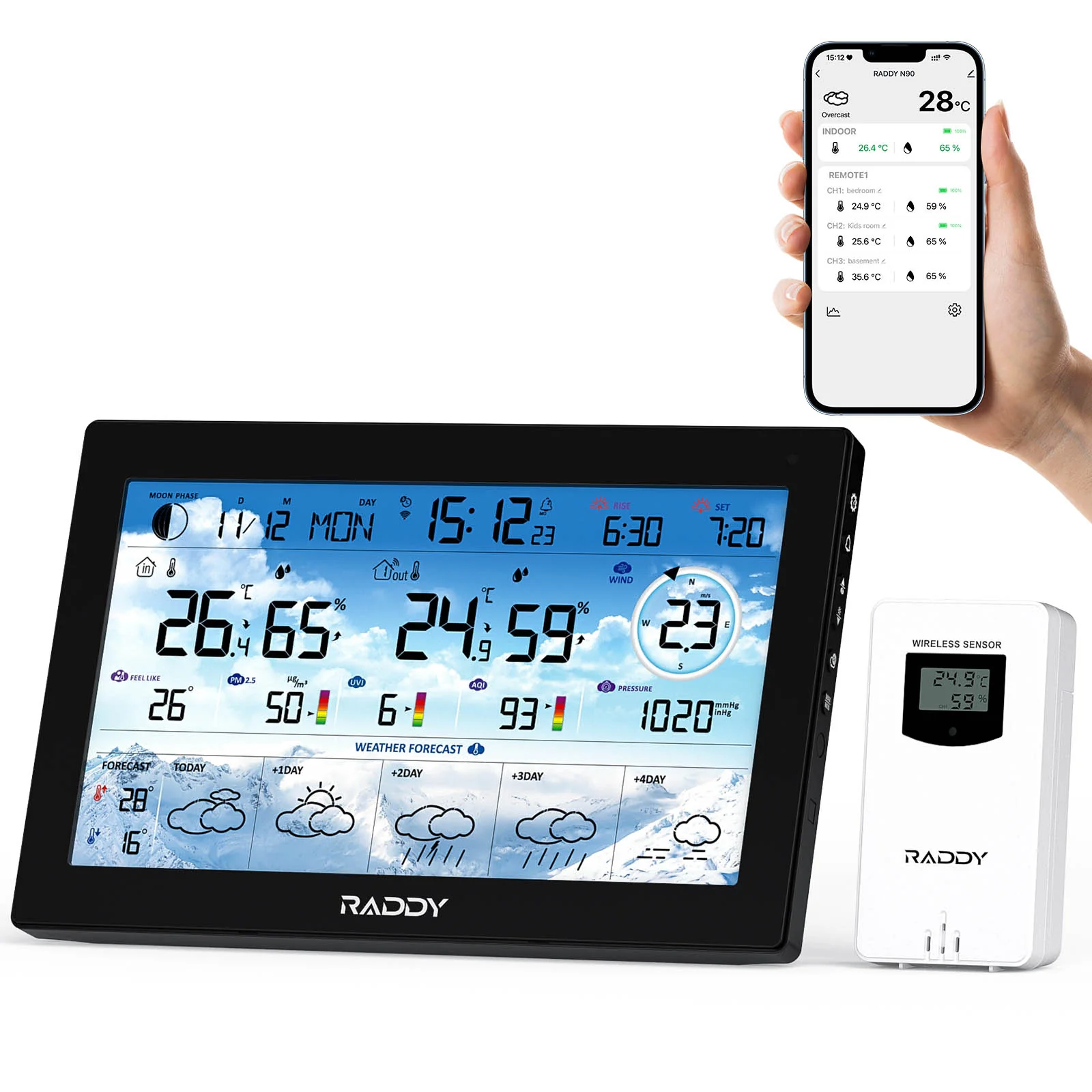
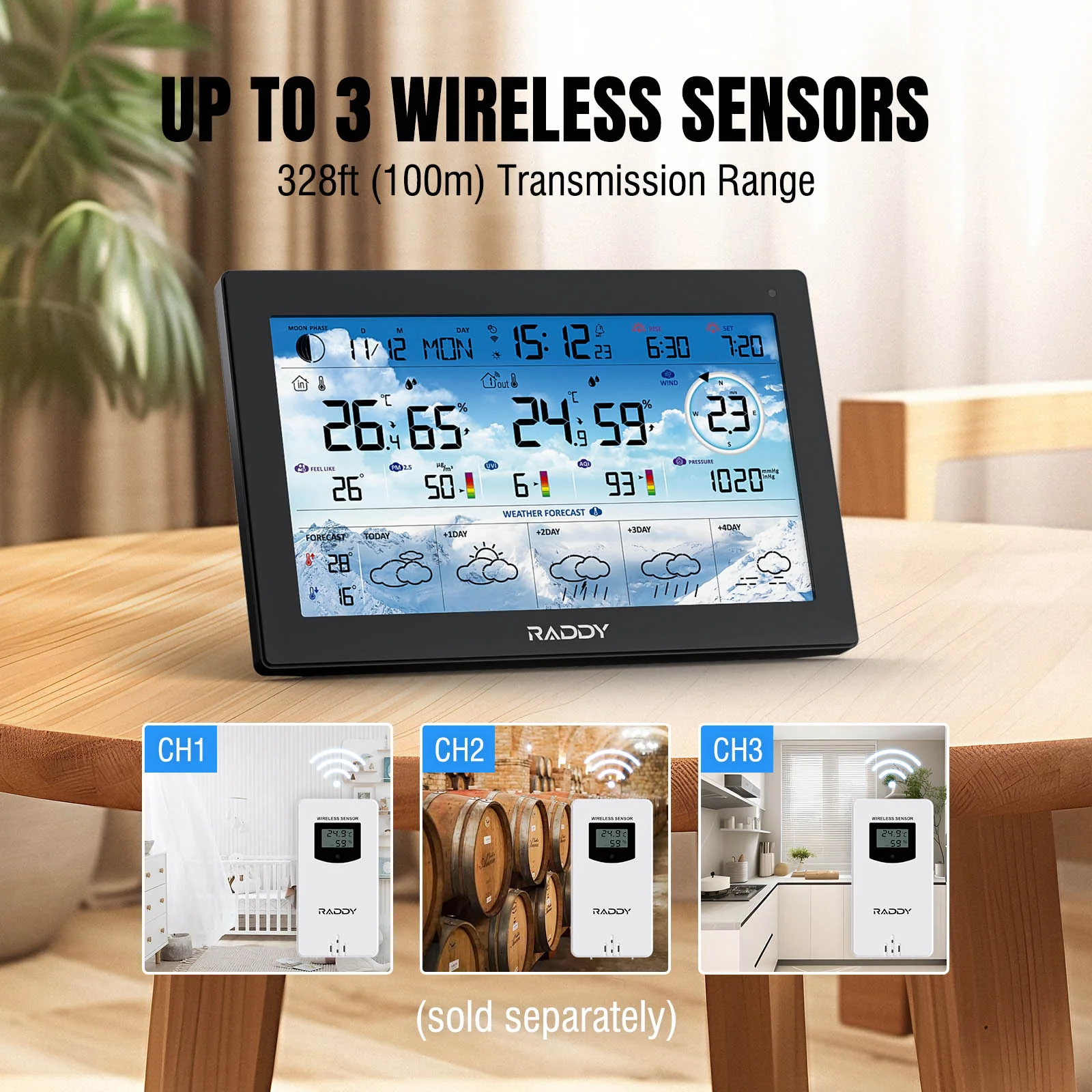
Stay prepared for any weather with the Raddy N90 WiFi Weather Station. This all-in-one digital system features a vivid 8.8" HTN display and delivers real-time indoor and outdoor temperature, humidity, air pressure, wind speed and direction, UV index, and PM2.5 air quality readings. With support for up to three wireless sensors and a 100-meter transmission range, it's ideal for full-home or greenhouse monitoring.
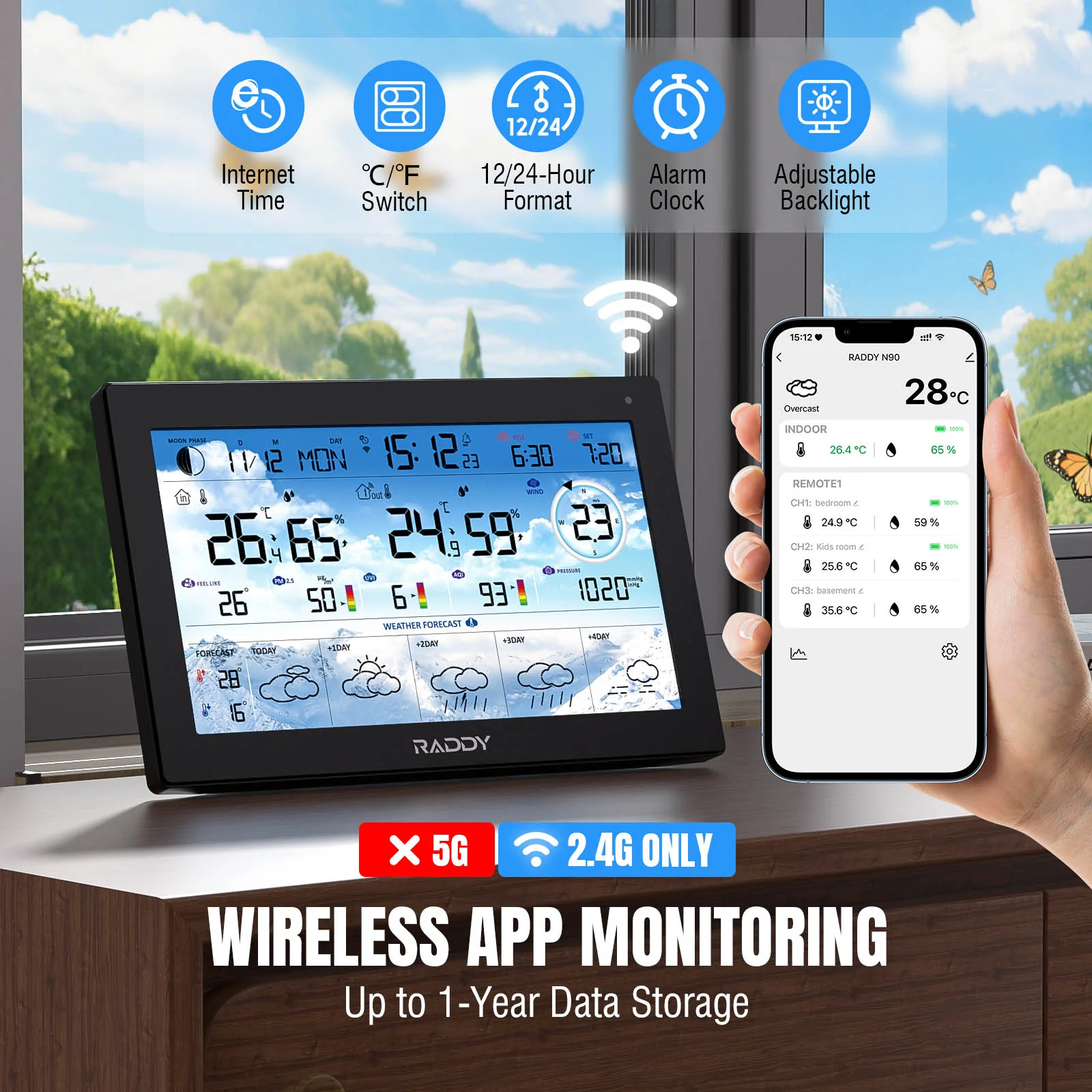
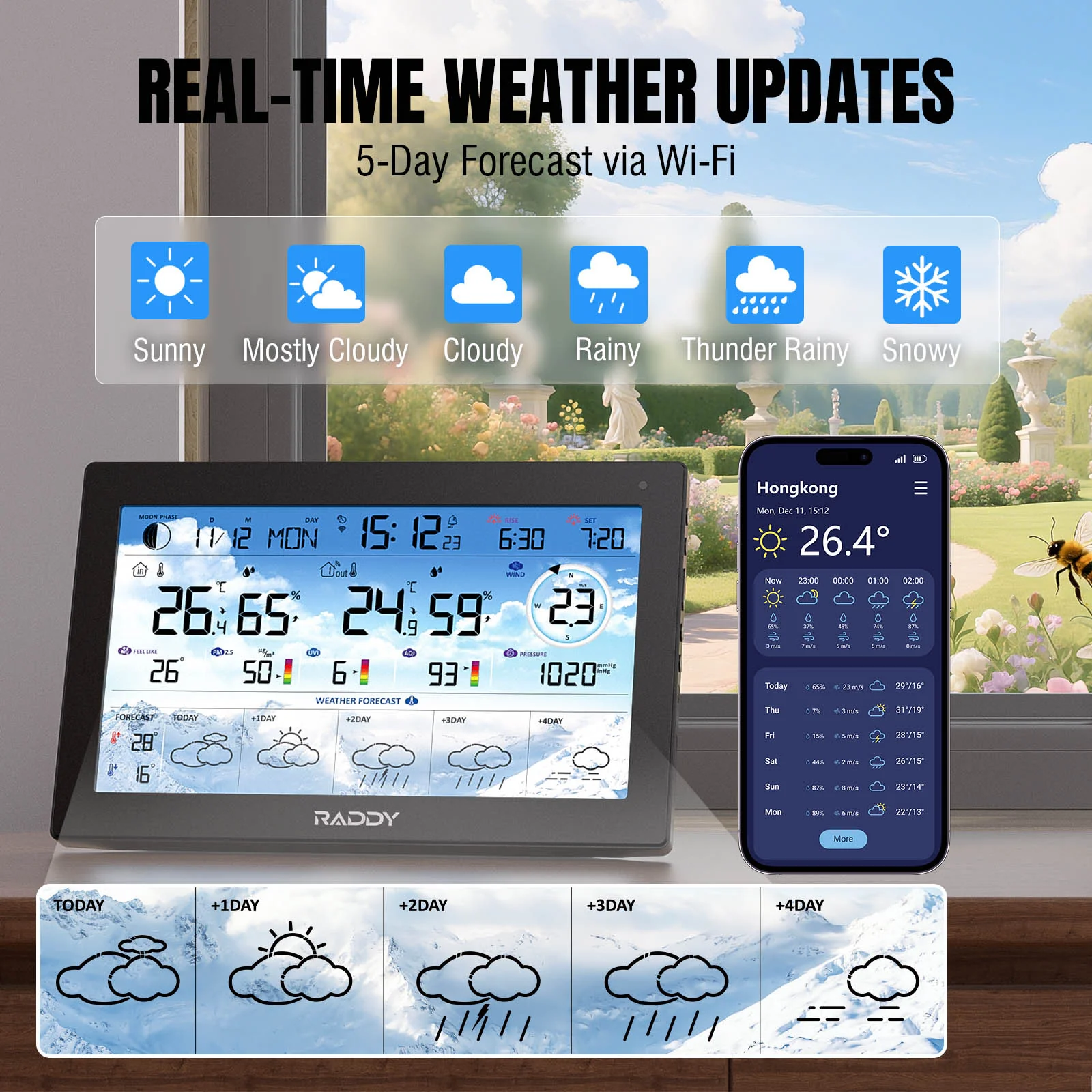
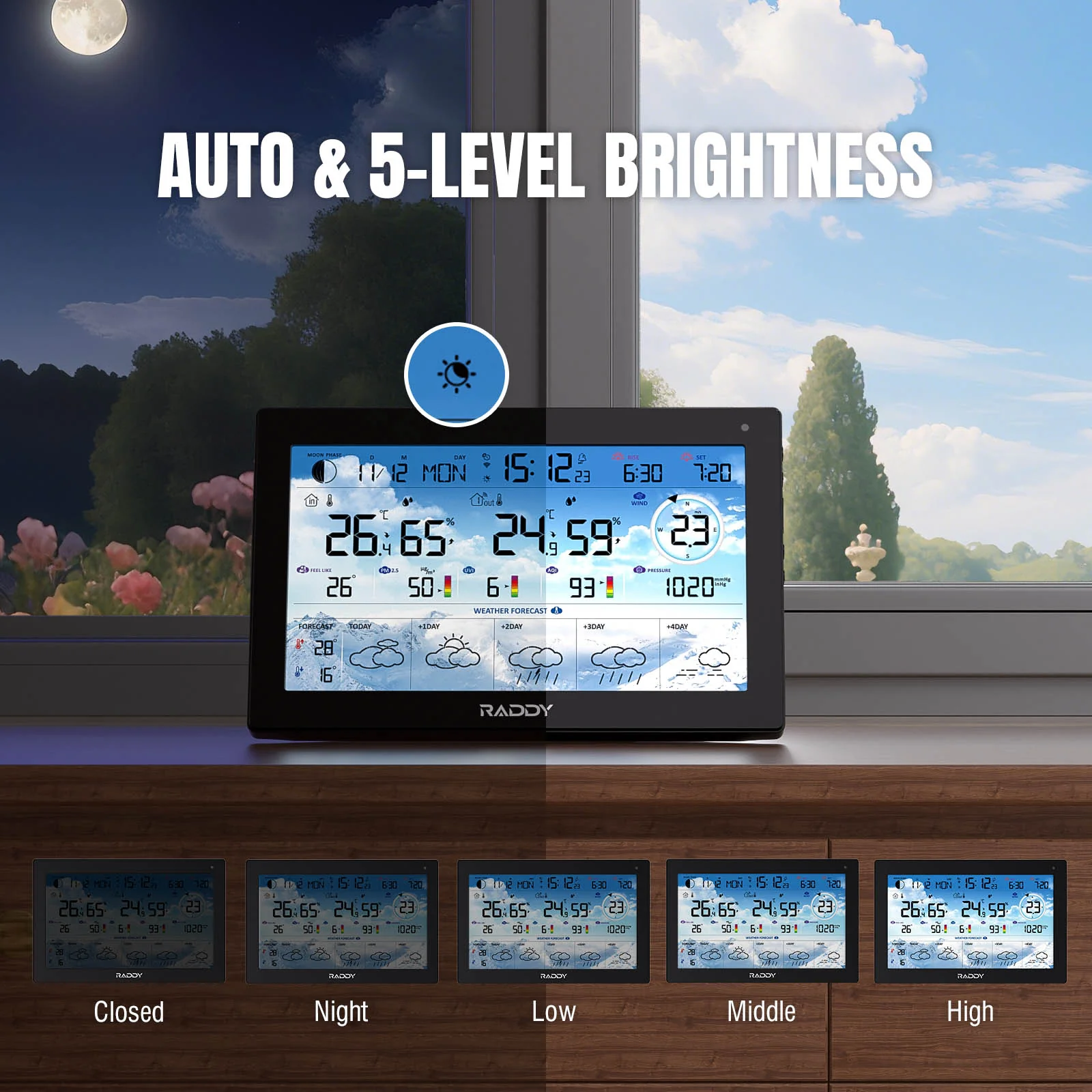
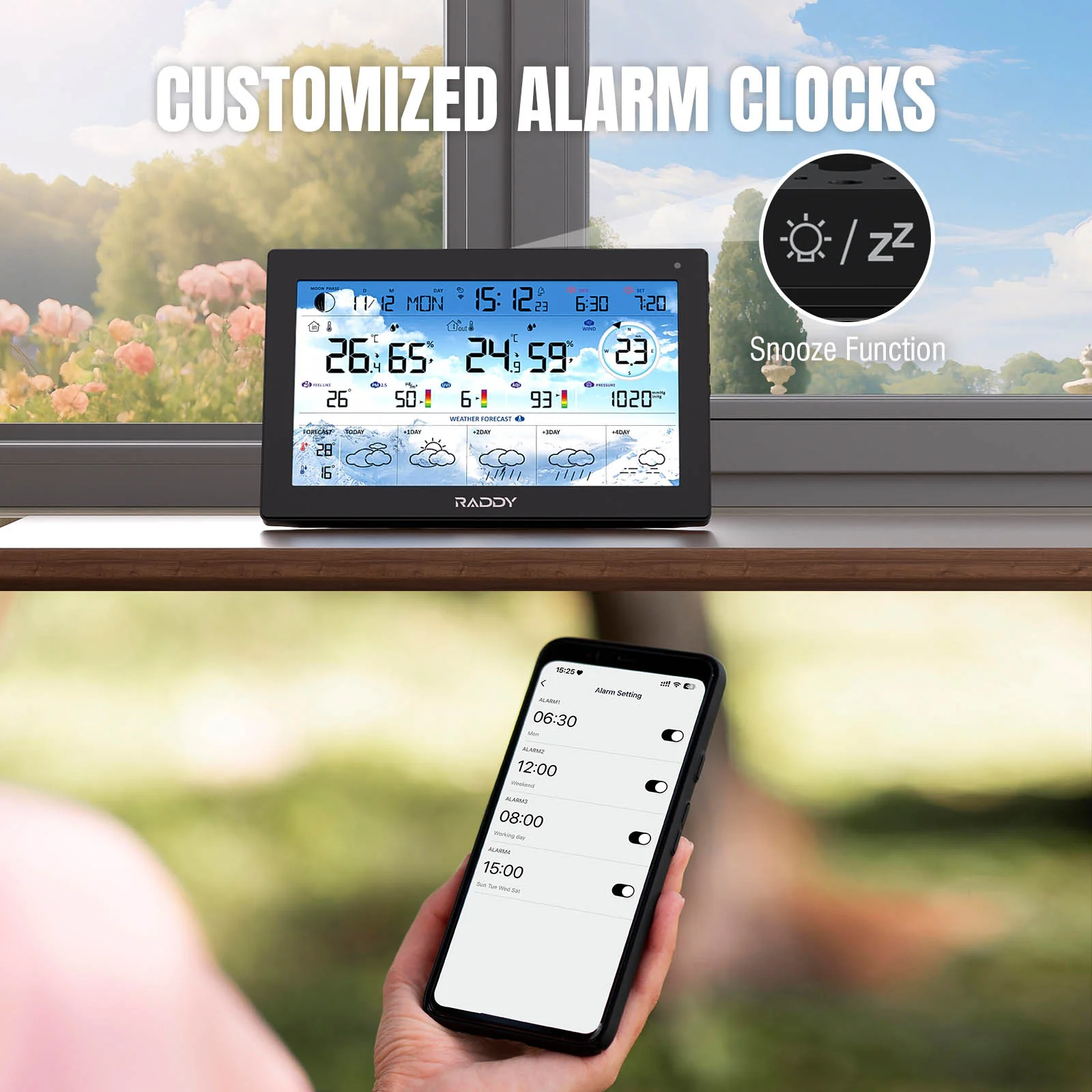
Easily connect to the mobile app via Wi-Fi to access 5-day weather forecasts, track historical trends, and view sunrise/sunset times or moon phases. The display auto-adjusts brightness based on ambient light and includes four alarms with snooze. Whether wall-mounted or placed on a desk, the N90 is perfect for home users, gardeners, and anyone who wants reliable, accurate weather data at a glance.


How to Connect to the Tuya App
1. Download the Tuya App: Search for "Tuya" in the App Store or Google Play, install it, register an account, and log in.
2. Power On the Device: Connect the power adapter to the main unit. It will turn on and emit a BEEP. After 3 seconds, the device enters Wi-Fi pairing mode, displaying "AP 01." If it doesn’t enter pairing mode, press and hold the “” button for 3 seconds to start pairing manually.
3. Add the Device in the App: Open the Tuya app, tap the “+” icon in the top right, and select "Add Device." The app will automatically detect the Weather Station; select it from the list.
4. Complete the Pairing: Follow the prompts to enter your Wi-Fi network name and password, then tap "Finish" once pairing is complete.
5. Successful Connection: The Weather Station is now connected to the Tuya app.

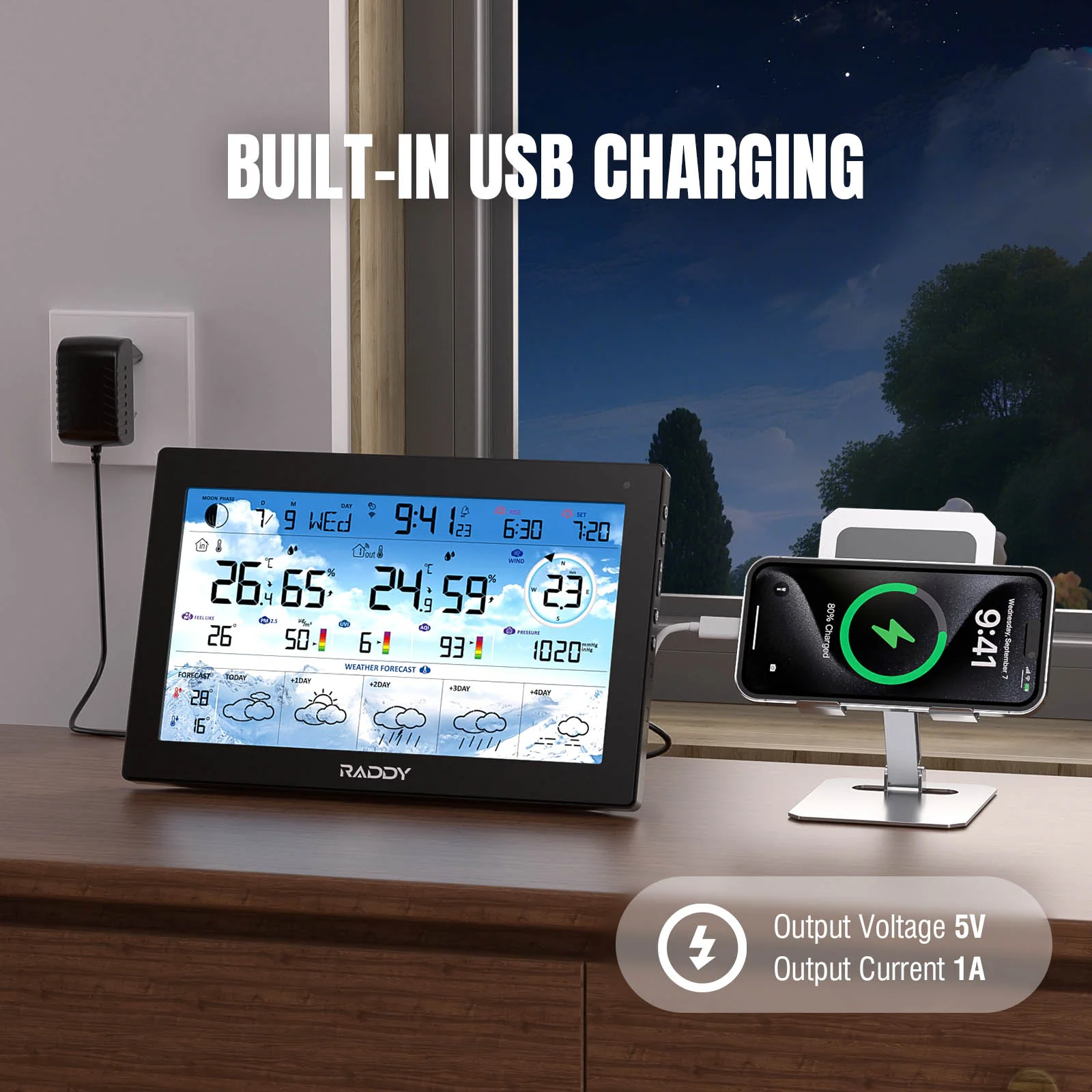
USB Charging Port
Power up your smartphone or other devices directly from the built-in USB port—available when the weather station is plugged in. Convenient desktop charging is always within reach.

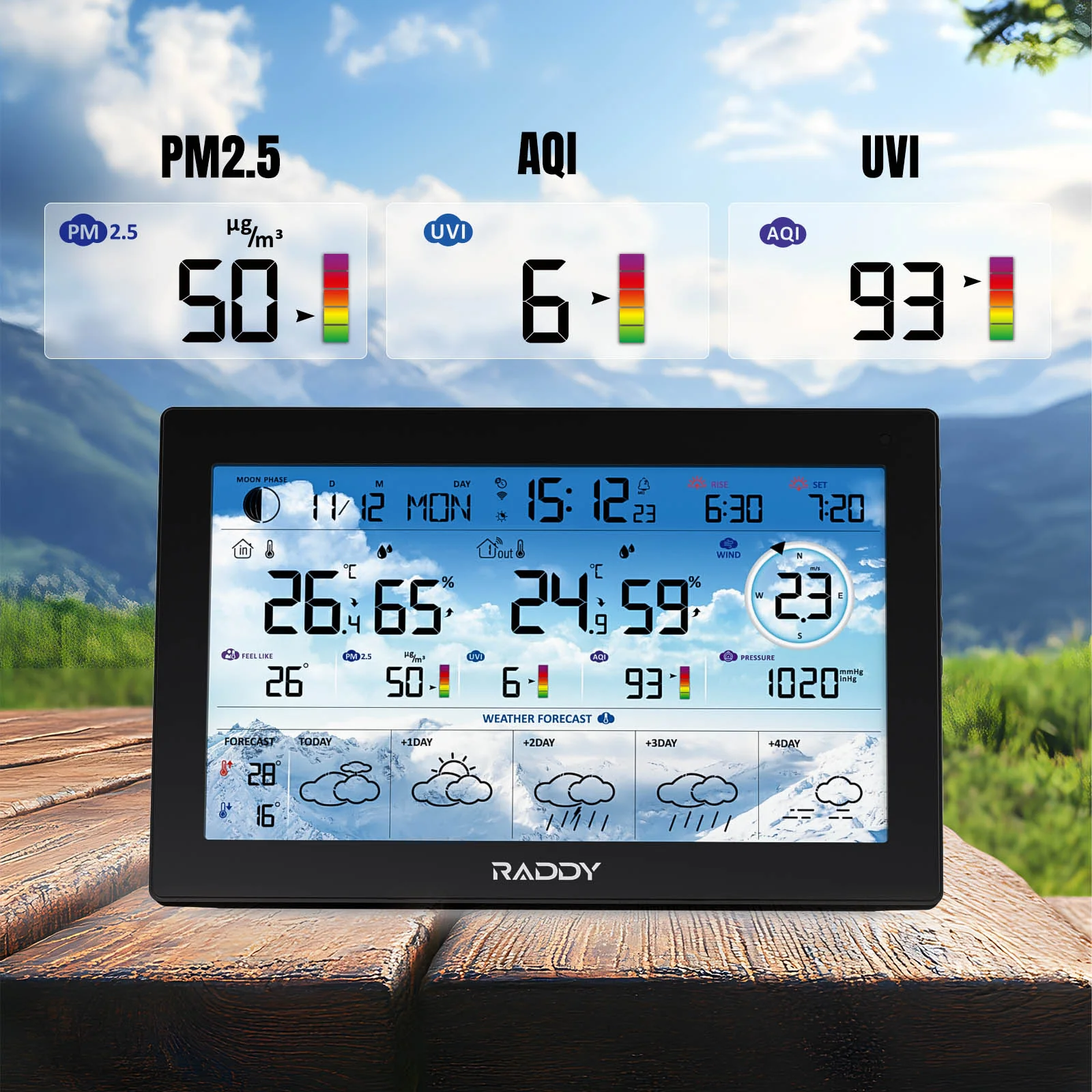
Accurate Air Quality Monitor
Real-time PM2.5, AQI, and UV Index levels to stay informed about air quality and sun exposure—helping you make healthier daily decisions.

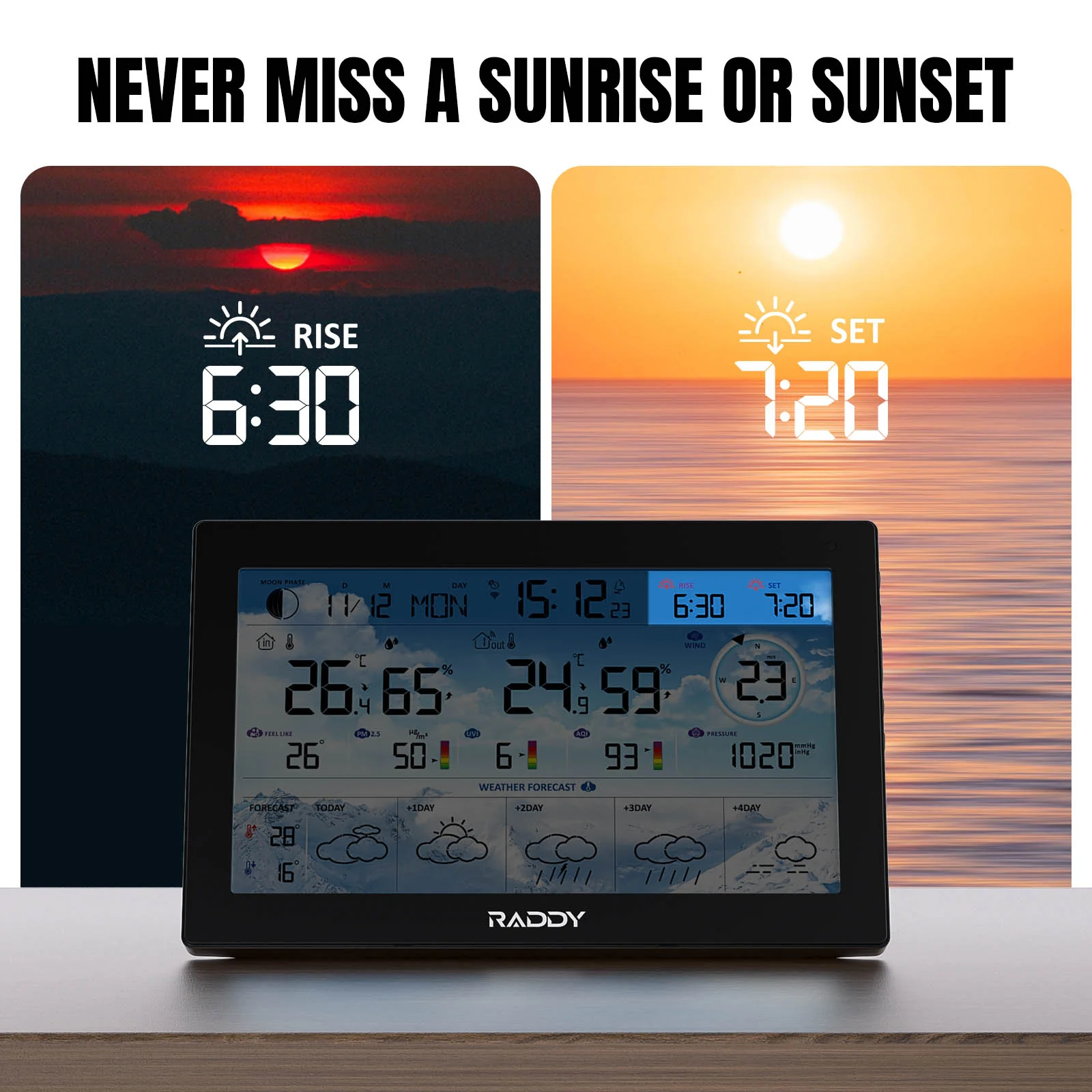
Sunrise & Sunset Times
See precise sunrise and sunset times based on your selected location—perfect for planning your day with clarity and confidence.
Specifications:
APP Connectivity: Works with 2.4GHz Wi-Fi networks
Mobile App: Tuya (iOS & Android)
Display: 8.8" HTN LCD screen
Indoor Temp Range: -10°C to 50°C (14°F to 122°F)
Outdoor Temp Range: -40°C to 70°C (-40°F to 158°F)
Indoor & Outdoor Humidity Range: 1% to 99% RH (indoor & outdoor)
Barometric Pressure: Network-sourced; display in hPa/mb, inHg, or mmHg
Wind Speed/Direction: Network-sourced; displays in km/h or mph
Time Format: 12-hour / 24-hour selectable
Data Transmission Frequency: 433 MHz
Sensor Capacity: Supports up to 3 wireless sensors (1 included)
Sensor Protection Rating: IPX4
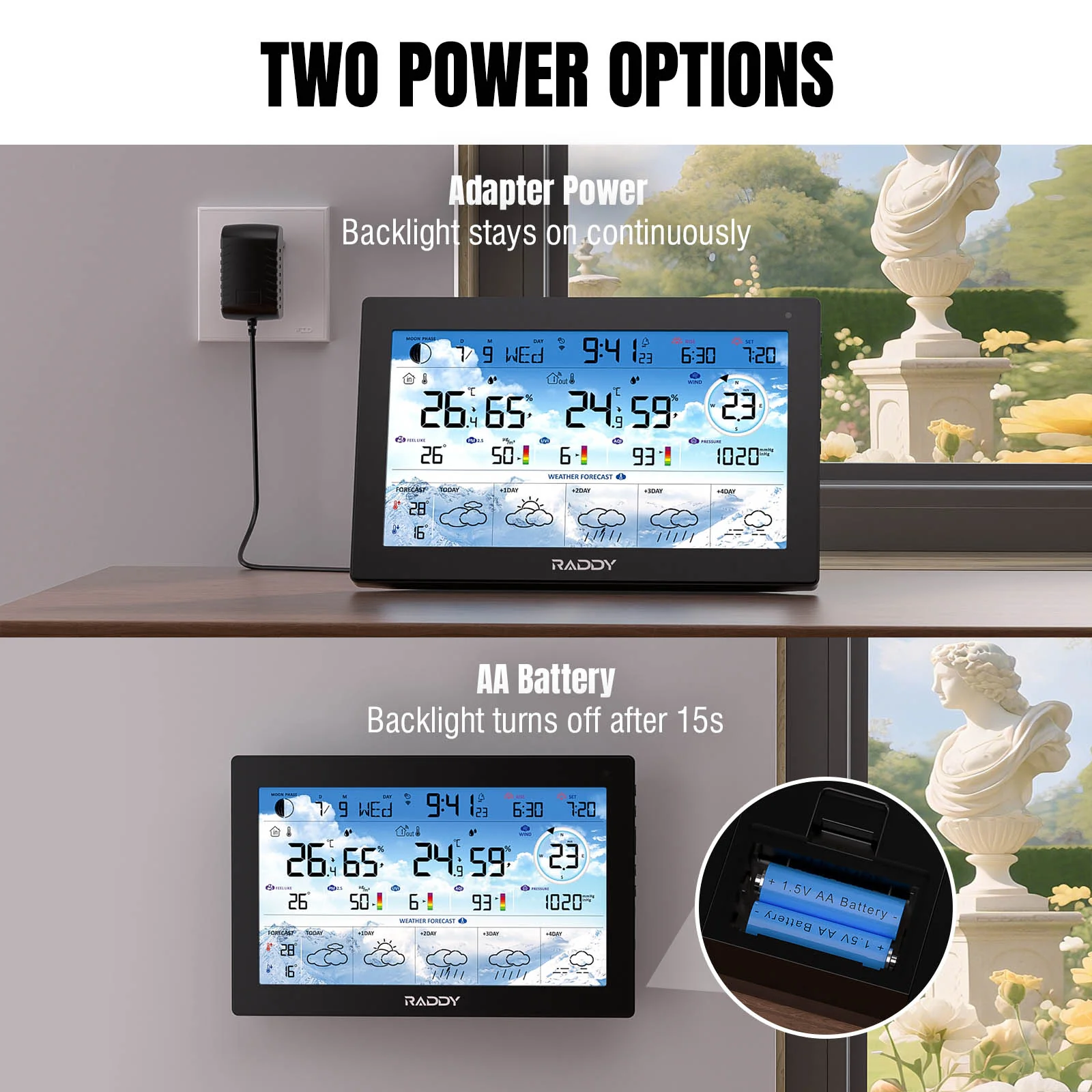
Console Power Input: Integrated DC 5V 1A wall adapter or 2 × AA batteries (not included)
Sensor Power Input: 2 x AA batteries (not included)
QA:
Q1: Does the station require Wi-Fi to function?
A1: No. The console receives real-time data from the included outdoor sensor via RF signal. Wi-Fi is only required for app access, internet-based forecasts, and syncing sunrise/sunset, AQI, PM2.5, UV Index, and automatic time updates.
Q2: How many sensors can I connect?
A2: The system supports up to 3 wireless outdoor sensors. One is included in the box. Additional sensors are available separately.
Q3: Can I view historical weather data in the app?
A3: Yes. Once connected to the Tuya app via Wi-Fi, you can access historical temperature and humidity trends.
Q5: How is time synchronized?
A5: When Wi-Fi is connected, the console automatically syncs with internet time servers to ensure accurate local time.
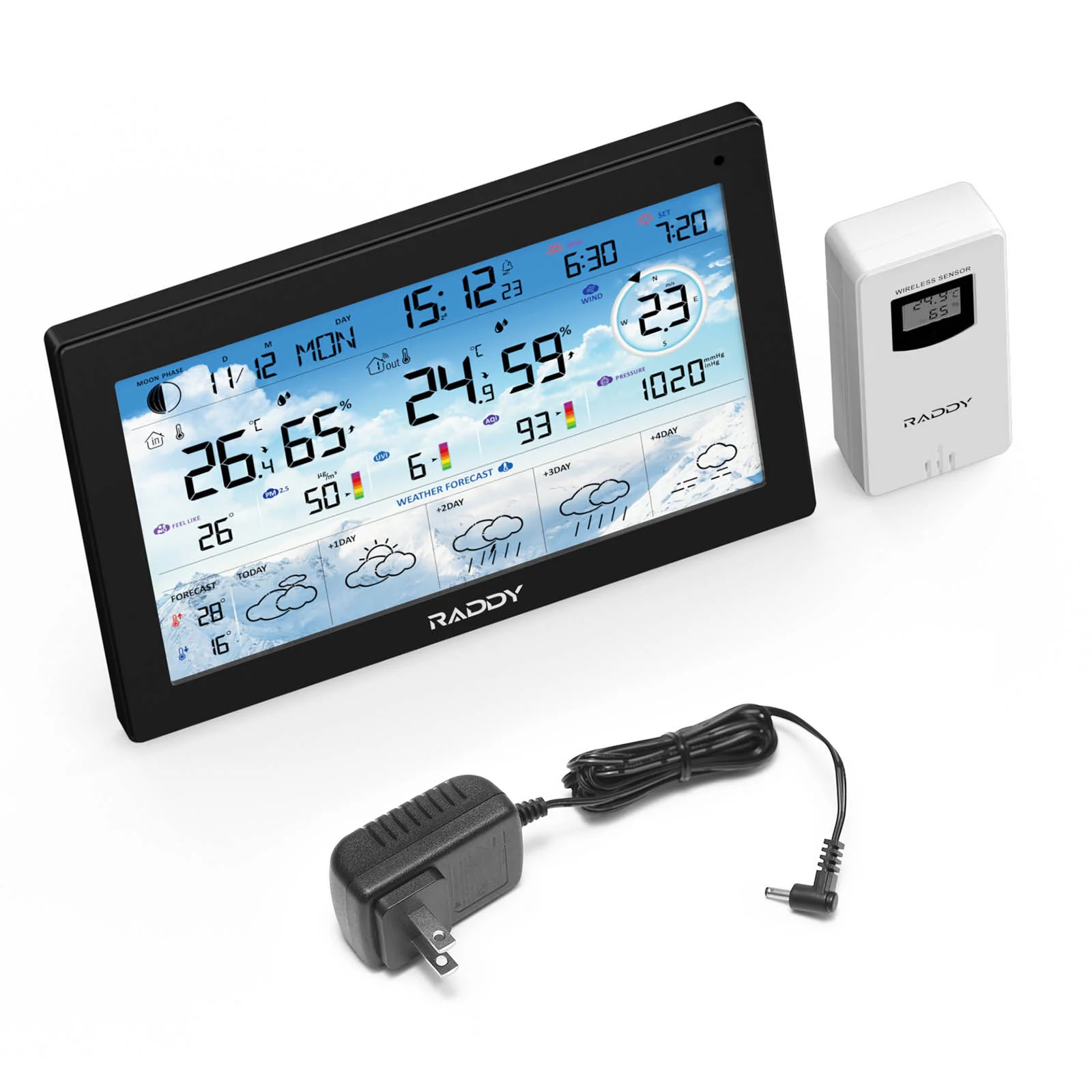
What’s in the box?
1 x N90 Weather Station
1 x Remote Sensor
1 x DC Cable with Adapter
1 x User Manua

More Images
Raddy N90 Wi-Fi Weather Station | 8.8" HTN Display | Smart App Connectivity | Temp & Humidity Monitor | PM2.5/AQI/UVI | 5-Day Forecast | Sunrise/Sunset Time
Stay prepared for any weather with the Raddy N90 WiFi Weather Station. This all-in-one digital system features a vivid 8.8" HTN display and delivers real-time indoor and outdoor temperature, humidity, air pressure, wind speed and direction, UV index, and PM2.5 air quality readings. With support for up to three wireless sensors and a 100-meter transmission range, it's ideal for full-home or greenhouse monitoring.
Easily connect to the mobile app via Wi-Fi to access 5-day weather forecasts, track historical trends, and view sunrise/sunset times or moon phases. The display auto-adjusts brightness based on ambient light and includes four alarms with snooze. Whether wall-mounted or placed on a desk, the N90 is perfect for home users, gardeners, and anyone who wants reliable, accurate weather data at a glance.
How to Connect to the Tuya App
1. Download the Tuya App: Search for "Tuya" in the App Store or Google Play, install it, register an account, and log in.
2. Power On the Device: Connect the power adapter to the main unit. It will turn on and emit a BEEP. After 3 seconds, the device enters Wi-Fi pairing mode, displaying "AP 01." If it doesn’t enter pairing mode, press and hold the “” button for 3 seconds to start pairing manually.
3. Add the Device in the App: Open the Tuya app, tap the “+” icon in the top right, and select "Add Device." The app will automatically detect the Weather Station; select it from the list.
4. Complete the Pairing: Follow the prompts to enter your Wi-Fi network name and password, then tap "Finish" once pairing is complete.
5. Successful Connection: The Weather Station is now connected to the Tuya app.
USB Charging Port
Power up your smartphone or other devices directly from the built-in USB port—available when the weather station is plugged in. Convenient desktop charging is always within reach.
Accurate Air Quality Monitor
Real-time PM2.5, AQI, and UV Index levels to stay informed about air quality and sun exposure—helping you make healthier daily decisions.
Sunrise & Sunset Times
See precise sunrise and sunset times based on your selected location—perfect for planning your day with clarity and confidence.
Specifications:
APP Connectivity: Works with 2.4GHz Wi-Fi networks
Mobile App: Tuya (iOS & Android)
Display: 8.8" HTN LCD screen
Indoor Temp Range: -10°C to 50°C (14°F to 122°F)
Outdoor Temp Range: -40°C to 70°C (-40°F to 158°F)
Indoor & Outdoor Humidity Range: 1% to 99% RH (indoor & outdoor)
Barometric Pressure: Network-sourced; display in hPa/mb, inHg, or mmHg
Wind Speed/Direction: Network-sourced; displays in km/h or mph
Time Format: 12-hour / 24-hour selectable
Data Transmission Frequency: 433 MHz
Sensor Capacity: Supports up to 3 wireless sensors (1 included)
Sensor Protection Rating: IPX4
Console Power Input: Integrated DC 5V 1A wall adapter or 2 × AA batteries (not included)
Sensor Power Input: 2 x AA batteries (not included)
QA:
Q1: Does the station require Wi-Fi to function?
A1: No. The console receives real-time data from the included outdoor sensor via RF signal. Wi-Fi is only required for app access, internet-based forecasts, and syncing sunrise/sunset, AQI, PM2.5, UV Index, and automatic time updates.
Q2: How many sensors can I connect?
A2: The system supports up to 3 wireless outdoor sensors. One is included in the box. Additional sensors are available separately.
Q3: Can I view historical weather data in the app?
A3: Yes. Once connected to the Tuya app via Wi-Fi, you can access historical temperature and humidity trends.
Q5: How is time synchronized?
A5: When Wi-Fi is connected, the console automatically syncs with internet time servers to ensure accurate local time.
What’s in the box?
1 x N90 Weather Station
1 x Remote Sensor
1 x DC Cable with Adapter
1 x User Manua
Product Information
Product Information
Shipping & Returns
Shipping & Returns
Description
Stay prepared for any weather with the Raddy N90 WiFi Weather Station. This all-in-one digital system features a vivid 8.8" HTN display and delivers real-time indoor and outdoor temperature, humidity, air pressure, wind speed and direction, UV index, and PM2.5 air quality readings. With support for up to three wireless sensors and a 100-meter transmission range, it's ideal for full-home or greenhouse monitoring.
Easily connect to the mobile app via Wi-Fi to access 5-day weather forecasts, track historical trends, and view sunrise/sunset times or moon phases. The display auto-adjusts brightness based on ambient light and includes four alarms with snooze. Whether wall-mounted or placed on a desk, the N90 is perfect for home users, gardeners, and anyone who wants reliable, accurate weather data at a glance.
How to Connect to the Tuya App
1. Download the Tuya App: Search for "Tuya" in the App Store or Google Play, install it, register an account, and log in.
2. Power On the Device: Connect the power adapter to the main unit. It will turn on and emit a BEEP. After 3 seconds, the device enters Wi-Fi pairing mode, displaying "AP 01." If it doesn’t enter pairing mode, press and hold the “” button for 3 seconds to start pairing manually.
3. Add the Device in the App: Open the Tuya app, tap the “+” icon in the top right, and select "Add Device." The app will automatically detect the Weather Station; select it from the list.
4. Complete the Pairing: Follow the prompts to enter your Wi-Fi network name and password, then tap "Finish" once pairing is complete.
5. Successful Connection: The Weather Station is now connected to the Tuya app.
USB Charging Port
Power up your smartphone or other devices directly from the built-in USB port—available when the weather station is plugged in. Convenient desktop charging is always within reach.
Accurate Air Quality Monitor
Real-time PM2.5, AQI, and UV Index levels to stay informed about air quality and sun exposure—helping you make healthier daily decisions.
Sunrise & Sunset Times
See precise sunrise and sunset times based on your selected location—perfect for planning your day with clarity and confidence.
Specifications:
APP Connectivity: Works with 2.4GHz Wi-Fi networks
Mobile App: Tuya (iOS & Android)
Display: 8.8" HTN LCD screen
Indoor Temp Range: -10°C to 50°C (14°F to 122°F)
Outdoor Temp Range: -40°C to 70°C (-40°F to 158°F)
Indoor & Outdoor Humidity Range: 1% to 99% RH (indoor & outdoor)
Barometric Pressure: Network-sourced; display in hPa/mb, inHg, or mmHg
Wind Speed/Direction: Network-sourced; displays in km/h or mph
Time Format: 12-hour / 24-hour selectable
Data Transmission Frequency: 433 MHz
Sensor Capacity: Supports up to 3 wireless sensors (1 included)
Sensor Protection Rating: IPX4
Console Power Input: Integrated DC 5V 1A wall adapter or 2 × AA batteries (not included)
Sensor Power Input: 2 x AA batteries (not included)
QA:
Q1: Does the station require Wi-Fi to function?
A1: No. The console receives real-time data from the included outdoor sensor via RF signal. Wi-Fi is only required for app access, internet-based forecasts, and syncing sunrise/sunset, AQI, PM2.5, UV Index, and automatic time updates.
Q2: How many sensors can I connect?
A2: The system supports up to 3 wireless outdoor sensors. One is included in the box. Additional sensors are available separately.
Q3: Can I view historical weather data in the app?
A3: Yes. Once connected to the Tuya app via Wi-Fi, you can access historical temperature and humidity trends.
Q5: How is time synchronized?
A5: When Wi-Fi is connected, the console automatically syncs with internet time servers to ensure accurate local time.
What’s in the box?
1 x N90 Weather Station
1 x Remote Sensor
1 x DC Cable with Adapter
1 x User Manua